Restarting Tomcat
Table of Contents:
Restarting Tomcat
This page describes how to restart the 360Works Tomcat Web App Server, which runs a number of our web applications. MirrorSync, Zulu, SafetyNet, and some installations of SuperContainer run inside the 360Works Tomcat Web App Server.
Launch the app located here:
MirrorSync 7.1 and later
MirrorSync 7.1 and later run in their own Tomcat 11 instance, which has its own admin app:
Mac:
/Applications/360Works Admin Jakarta.app
Windows:
C:\Program Files\360Works\360Works Admin Jakarta.bat
Mac Location
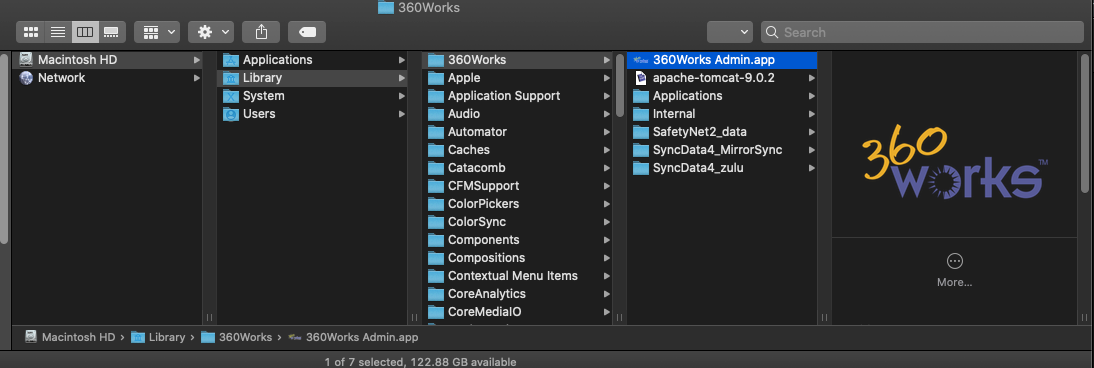
For other web applications, and MirrorSync 7.0 and earlier:
/Library/360Works/360Works Admin.app
Note: "Library" is a hidden folder, navigate to it using the menu item Go -> Go To Folder... (Command-Shift-G)
Windows Location
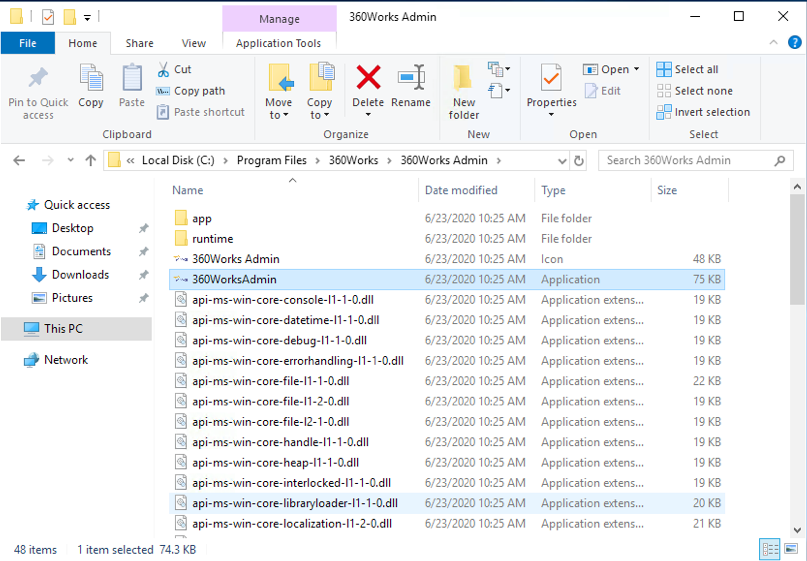
For other web applications, and MirrorSync 7.0 and earlier:
C:\Program Files\360Works\360Works Admin\360WorksAdmin.exe
Restarting 360Works Applications
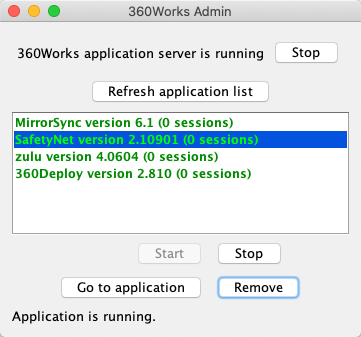
Now press the "Stop" button in the top right. Once Tomcat is stopped, this button will become a "Start" button. Press the "Start" button to get tomcat back up and running.
Removing Applications
You can also use the 360Works Admin tool to remove 360Works applications. After you have launched the 360Works Admin tool, select the application that you want to remove, and click the "Remove" button. This will uninstall that application and remove it from the machine.